Accessible Learning Across Live, Hybrid & On-Demand Education
Learning no longer happens in a single place or format.
A student might attend a lecture in person, join a tutorial through Microsoft Teams, Google Meet or Zoom, revisit a recording later that week, and access a growing library of on-demand learning content throughout their course.
For colleges and universities, accessibility needs to extend across that entire learning journey. Providing captions during a live class is important, but students also need accessible recorded content and support for visual learning materials long after the lecture ends.
As educational content becomes more distributed across live, hybrid and on-demand environments, institutions are increasingly looking for accessible workflows that can support students wherever learning takes place.
Why Accessibility Consistency Matters
Accessibility is often approached as a series of individual tasks: live captions for lectures, captions for recorded content, audio descriptions for specific videos, or accommodations for individual learning environments.
But students don’t experience learning in isolated moments.
They move continuously between live classes, virtual sessions, recorded lectures and supplementary learning resources. Accessibility gaps can emerge whenever those experiences become disconnected.
At the same time, institutions are managing growing volumes of digital learning content. As lecture capture, virtual learning and on-demand education continue to expand, accessibility strategies need to scale alongside them.
Rather than implementing separate solutions for different content types, many institutions are looking for more connected approaches that support accessibility throughout the content lifecycle.
Accessibility Across the Learning Lifecycle
A more connected accessibility strategy follows content from its creation through to long-term student access.
That means considering:
- Live and hybrid teaching environments
- Virtual learning platforms
- Recorded lectures and training materials
- Visual learning content
- Consistent handling of specialist academic terminology
The goal is not simply adding captions to individual classes. It is about creating a consistent accessibility experience regardless of when, where or how students engage with learning content.
Start with High-Quality Live Captions
Live captions remain a critical component of accessible education.
They support students who are Deaf or hard of hearing, while also helping learners who use captions to follow complex material, study in different environments or better understand spoken content.
LEXI Access and LEXI Text bring AI-powered live captions into lectures, tutorials and virtual classrooms. For virtual and hybrid learning, LEXI Access works with Microsoft Teams, Zoom and Google Meet, allowing institutions to add high-quality captions within the tools faculty and students already use.
By embedding accessibility within existing teaching workflows, institutions can make accessible learning part of the everyday student experience rather than a separate process.
Extend Accessibility Beyond the Live Class
The learning experience doesn’t end when a lecture is done.
Students increasingly rely on recorded lectures, training videos and other on-demand resources to revisit concepts, catch up on classes and learn at their own pace.
LEXI Recorded extends AI-powered captioning to prerecorded and offline learning materials, helping institutions maintain accessibility across their growing libraries of educational content after the live session has ended.
By connecting live and recorded captioning workflows, institutions can provide a more consistent experience as students move between classes and on-demand course materials.
Make Visual Learning Content More Accessible
Educational content often relies on more than spoken words.
Diagrams, demonstrations, charts, animations and on-screen content can communicate information that may otherwise be inaccessible to students who are blind or have low vision.
LEXI AD extends accessibility further by providing AI-powered audio descriptions for visual elements within prerecorded content. This can help make educational video more accessible to students who are blind or have low vision, while giving institutions another way to build accessibility into their on-demand content.
Improve Accuracy Across Live and Recorded Learning
Education also presents a unique challenge for AI-powered captioning.
Specialized vocabulary, technical terms, academic names and course-specific language can all impact recognition accuracy.
Using shared topic models and configurations across live and recorded LEXI workflows can help improve the recognition of institution-, course- and subject-specific terminology and maintain consistency throughout the learning experience.
That consistency matters. A term introduced during a live lecture should be handled just as accurately when students encounter it again in recorded course material.
A Connected Accessibility Ecosystem
Rather than treating live captions, recorded captions and audio description as separate accessibility tasks, institutions can take a more connected approach across their learning content.
That can mean delivering high-quality captions during a live lecture, applying the same topic models and configurations to recorded materials students access later, and extending accessibility to visual content through audio description.
AI-Media’s LEXI ecosystem supports these workflows across live and prerecorded learning:
- LEXI Access and LEXI Text support live captioning.
- LEXI Recorded extends captioning and translation to offline content.
- LEXI AD provides audio description for visual learning materials.
- Shared workflows and configurations help maintain consistency across content types.
The result is a scalable approach to accessibility that can extend beyond a single class or platform – supporting students as they move between live, hybrid and on-demand learning.
See Accessible Virtual Learning in Action
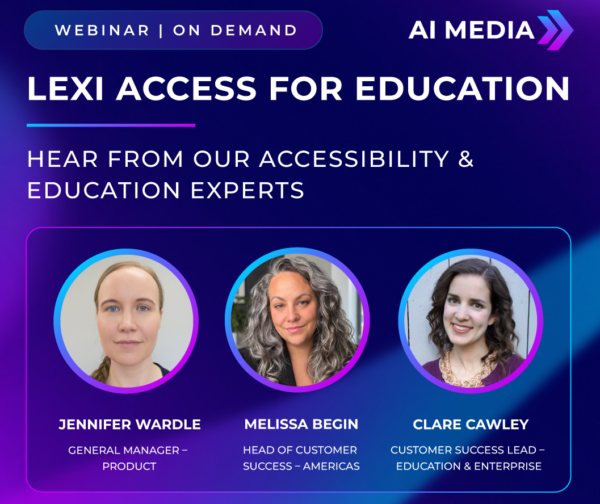
In our recent LEXI Access for Education webinar, we explore how institutions can integrate high-quality AI-powered captions directly into Microsoft Teams, Zoom and Google Meet without changing the platforms educators and students already use.
Want to see what this can look like in an existing virtual learning environment?
Watch the webinar on demand to see how universities and colleges can build accessibility directly into virtual and hybrid learning environments.