LEXI AD – Automated Audio Description at Scale
Automated Audio Description, Reimagined
Deliver precise, scalable, AI-driven audio descriptions that meet accessibility standards – with new advanced customization controls built for real-world demands.
Traditional human-created audio descriptions are expensive, slow, and difficult to scale. LEXI AD changes the game: it provides high-quality audio description at up to 75% faster turnaround and a fraction of the cost.
Built for broadcasters, educational institutions, governments, archives, and enterprise media owners, LEXI AD empowers you to make your video libraries accessible – with flexibility, control, and predictability.
.
New ADA Title II Deadlines Are Driving Change
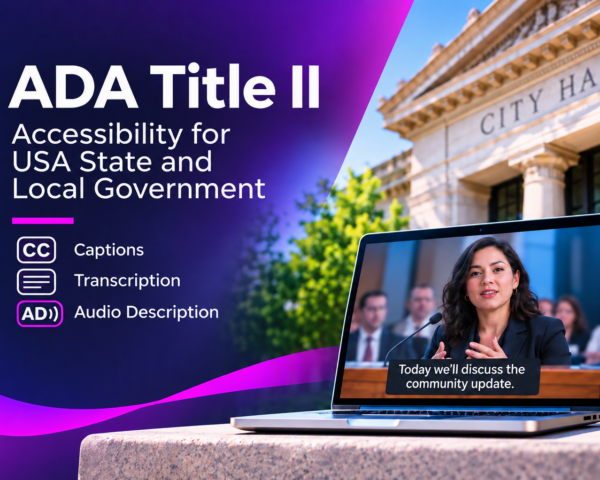
From April 2027, U.S. state and local governments must meet new digital accessibility requirements under ADA Title II and WCAG 2.1 Level AA. This includes making prerecorded video content accessible through captions and audio description, with accurate transcription supporting accessible content delivery.
AI-Media helps to make accessibility compliance achievable and affordable. Our AI-powered LEXI solutions simplify captioning, transcription and audio description, helping public entities deliver accessible content at scale without the complexity and cost of traditional workflows.
With LEXI AD, automated audio description delivers natural-sounding narration with up to 75% faster turnaround and at a fraction of traditional costs.

Fine-tune your audio descriptions to match your content, audience, and accessibility needs
Tailor audio descriptions to your content, audience, and style with optional controls:
-
Narration Voice – US, UK, or Australian English; male or female.
-
Pacing – Slow (0.5×) to fast (2.0×) to match your video’s rhythm.
-
Video Introduction – Add a short intro or synopsis for the AI to guide descriptions.
-
Guidelines – Specify tone, style, or audience (e.g., “formal” or “under 10”).
-
Timing – Control overlaps, silence between segments, or continuous description.
- Extended AD – Automatically pause the video when gaps are too short for a complete description.
-
Output – Preview-quality proxy and full-resolution AD-mixed video options.
Options are hidden by default for simplicity – just toggle Customize audio description when placing your order.
LEXI AD

- Cost-Effective & Scalable – Generate audio descriptions for large libraries at predictable cost.
- Multilingual & Translations – Create audio descriptions in 40+ languages, accents and dialects.
- Seamless Integration – Upload or integrate via API, S3 or FTP.
- Fast Turnaround – Up to 75% faster than manual AD workflows.
- Smart Face Detection – Automatically identify and label faces for richer descriptions.
- Review & Refine Before Delivery – Review and fine-tune your AD script before narration.
- Flexible, Precise & Customizable – Control narration voice, pacing, timing and guidance.
- Extended Audio Description – Pause the video where needed so full descriptions fit, even in dialogue-heavy content.
- Secure, Self-Service Platform – Manage projects easily from a secure cloud interface.
- ADA Title II Ready – Helps meet WCAG 2.1 AA audio description requirements for covered prerecorded video.
Broadcasters & Content Creators
Make your programming accessible to all audiences.
Education & Enterprise
Boost engagement and meet WCAG compliance requirements.
Digital Archives
Make your content searchable and unlock valuable insights with AI-generated descriptions.
Choose from Basic, Customer-Assisted, or Professional-Assisted workflows to match your preferred level of control and involvement.
User Steps:
- Upload your media via the LEXI AD Order Portal or API.
- (Optional) Enable Customisation Mode to access advanced settings, including narration voice, pacing, video intro prompts, timing rules, and Extended AD.
LEXI AD Automates:
- Analyze the transcript, detect audio gaps, and prepare descriptive text.
- (Optional) Review and fine-tune the AD script before narration is produced.
- Generate narration clips using your chosen voice and pacing preferences.
- Mix the narration with the original audio.
- Deliver the final output – audio description track, AD-mixed video, and scripts – via secure links or your storage system.
Pro Tip: Customisation is optional. Even with it off, LEXI AD works “out of the box,” giving you a seamless audio description workflow. Advanced mode is there for users who want extra control over narration style and timing.
Toggle optional settings to fine-tune narration voice, pacing, video introductions, and timing behavior – giving you deeper control over output for different audiences or content types.
Advanced controls include:
- Choose narration voice and pacing
- Add video introductions for context
- Apply audience-specific guidelines
- Fine-tune timing and output options
- Enable Extended AD for dialogue-heavy content
- Review and edit AI-generated scripts before narration is finalized
Frequently Asked Questions
LEXI AD is designed for recorded content, but AI-Media offers live solutions for real-time accessibility.
Yes – LEXI AD uses advanced AI trained on broadcast-quality standards, and allows custom instructions for tailored narration.
Easily via API, S3, or FTP for bulk processing, or upload directly to the secure cloud-based Order Portal.
Yes. In Customisation Mode, you can choose the narration voice (US, UK, AU) and adjust the speaking speed to suit your content style and audience.
Absolutely. With customization off, LEXI AD delivers high-quality descriptions out of the box. Advanced settings are optional and meant for power users who want finer control.
You can customize the voice, pacing and timing. Review the final video after making changes to check that the description is clear, timed appropriately and covers the important visual information.
LEXI AD helps meet the WCAG 2.1 AA audio description requirement for covered prerecorded video (Success Criterion 1.2.5). Review the final video to check that the description conveys the important visual information.
Standard audio description fits narration into natural pauses in the audio. When a scene has too little silence, such as fast dialogue or lectures, Extended AD briefly pauses the video so the full description can play. It’s best suited to content where key visual information would otherwise be lost.
Not always. ADA Title II adopts WCAG 2.1 Level AA, which requires audio description for prerecorded video. For most content, standard AD placed in natural pauses meets this. But where dialogue is so dense that essential visual information can’t fit in the gaps, Extended AD (pausing the video so the description can play) may be needed to convey that information. Extended AD is a recognised W3C technique for meeting both the Level AA and Level AAA audio description criteria. We recommend reviewing your content and, where needed, checking with your accessibility or legal team.